Entertainment
Where Did the Remote Go This Time? Turning Your Phone Into One Remote for Every Smart TV
Smart Remote Control for TV replaces lost remotes and clashing device controllers with one phone app that handles Smart TV control, screen mirroring, and Chromecast casting together.
About this app
It's always the same routine — the remote is somewhere between the couch cushions, under the coffee table, or in a drawer nobody remembers putting it in, and meanwhile the TV is just sitting there, on, waiting. Eventually you stop looking and just accept that your phone is going to have to do the job.
What This Actually Replaces
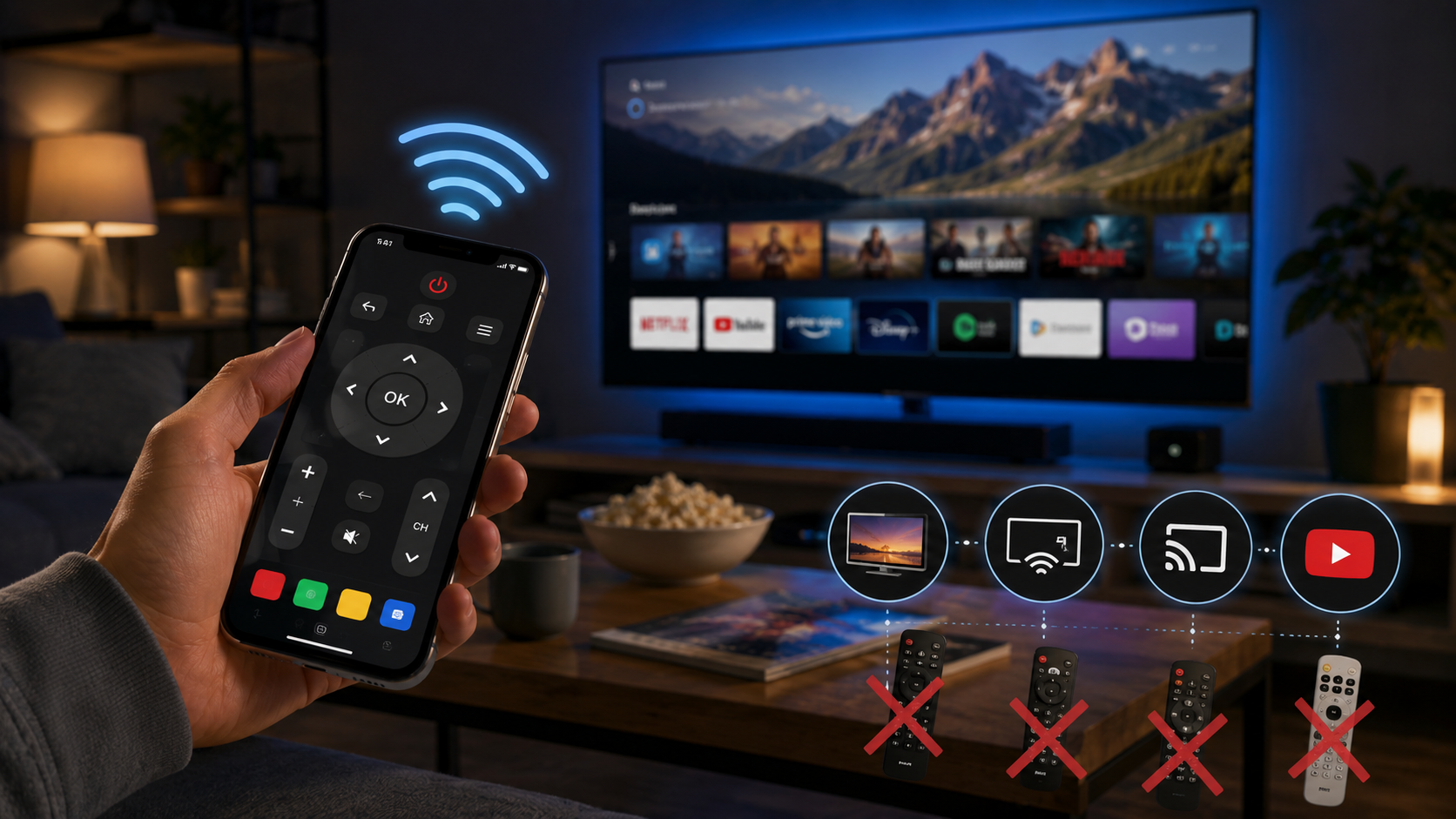
Smart Remote Control for TV isn't trying to be a fancier remote — it's trying to be the only one you need. Instead of a drawer with three or four remotes for a TV, a soundbar, and a set-top box, it puts volume, channel, and menu navigation for your Smart TV into one app, alongside screen mirroring and Chromecast in the same place. The pitch is straightforward: one app, most of the TV-adjacent things you'd normally reach for a separate remote to do.
What It Actually Handles
- Universal Smart TV control — volume, channels, and menu navigation across a wide range of brands rather than one manufacturer's ecosystem.
- Screen mirroring — whatever is on your phone's screen shows up on the TV, useful for pulling up photos, a presentation, or anything not natively on the TV.
- Chromecast support — cast photos, videos, and audio to the TV with a tap, without needing the TV's own remote at all.
- YouTube casting — send video straight from your phone to the big screen instead of hunting for it again on the TV's own app.
- IPTV and video casting — stream channels and video content directly from phone to television for a bigger-screen viewing setup.
Worth Knowing Before You Install
This app has a genuinely massive install base — tens of millions — which is a fair signal it works reliably across a wide range of TVs, but the rating sits in solidly average territory, which usually means results vary a fair bit by TV brand and Android version. It carries ads and in-app purchases, standard for a free utility like this, and it's rated for everyone. Universal remote apps like this depend heavily on your specific TV supporting IR blaster or network-based control, so it's worth testing during the return window if you're relying on it to replace a broken physical remote entirely.
For the everyday case — TV is on, remote is nowhere in sight, and you just want the volume down before ads blast through the whole house — having one app that also happens to mirror your screen and cast Chromecast content is a reasonable trade for the drawer full of separate remotes you can finally stop using.