
Productivity
Stuck on a Math Problem at 11pm? Here's What Actually Happens When You Point Your Camera At It
AI Math Scanner turns your phone camera into a math solver that reads equations from photos and walks through the steps, from basic arithmetic to algebra, with no internet connection required.
About this app
It's late, the textbook example doesn't match the homework question, and re-reading the same paragraph about quadratic equations for the fourth time isn't making it click. This is the exact moment a camera-based math solver earns its download.
What It Covers
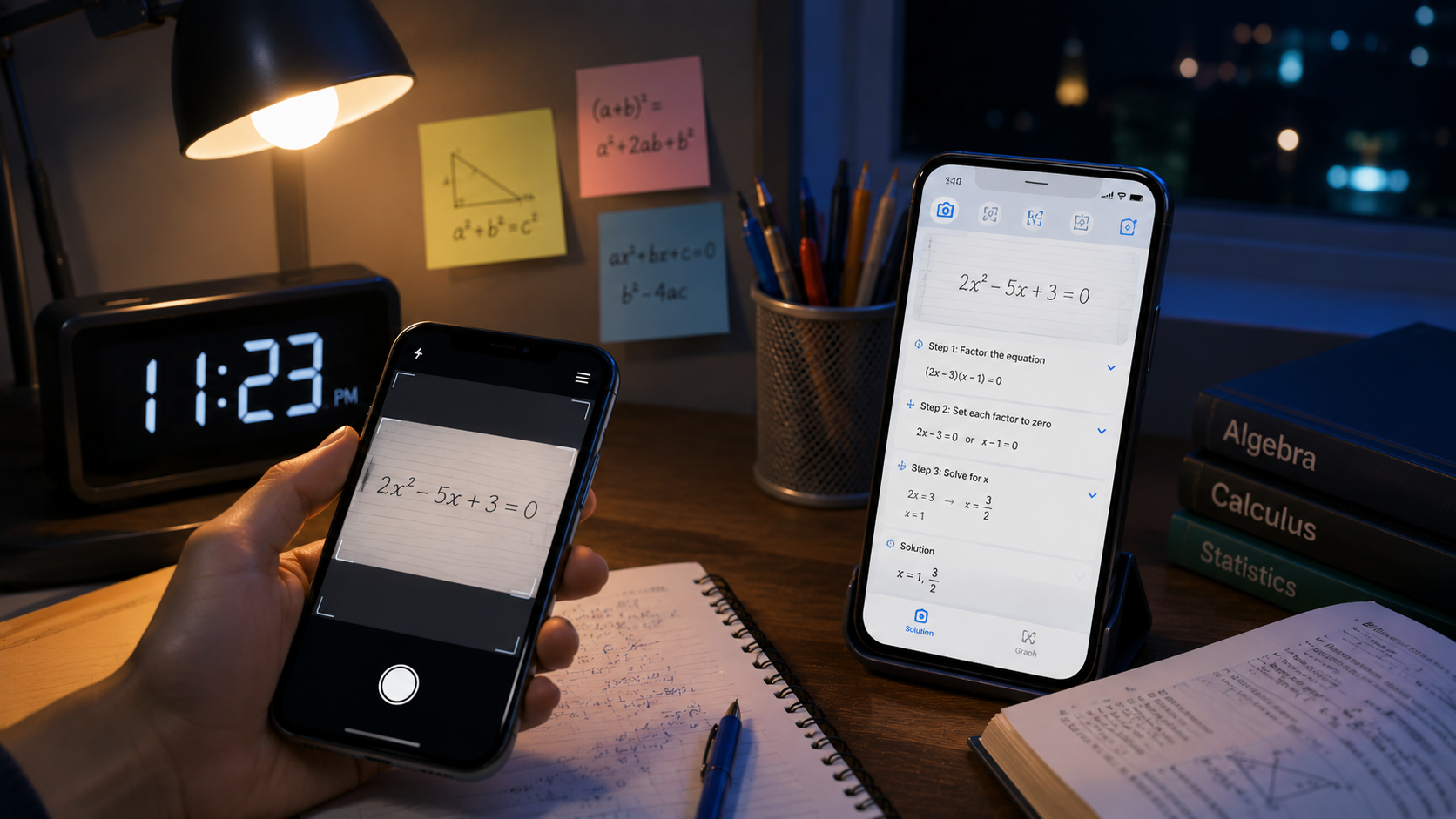
- Camera-based problem scanning — snap a photo of an equation on paper or a screen and get it read and solved without typing anything in.
- Step-by-step working — each problem is broken into stages instead of a single final number, which is what actually helps with retaining the method.
- Offline solving — no signal in the classroom or on a train doesn't stop it from working, since it doesn't depend on a live connection for basic problems.
- A built-in scientific calculator with graphing — beyond scanning, there's a calculator for tables and graphs when you want to visualize a function rather than just compute it.
- Range of topics — arithmetic, algebra, percentages, EMI and interest calculations, so it covers more than just textbook math.
How the Math Scanner Actually Works
You point the camera at a printed or handwritten equation, the app reads it, and instead of just spitting out an answer it walks through the steps that got there. That distinction matters — a number with no working shown doesn't help anyone actually learn the method, it just gets you through tonight's assignment and leaves you stuck again next week. The step-by-step breakdown is really the point of a tool like this, not the answer itself.
Who This Is Actually For
It's genuinely built for students working through homework rather than professionals needing a research-grade solver, and the free tier comes with ads plus in-app purchases for the deeper features. It's rated for everyone, which makes sense since it's clearly aimed at school-age use. Worth setting expectations early: camera-based scanning handles clean, well-lit handwriting and print far better than messy scrawl at an angle, so a steady hand while photographing matters more than it sounds like it should.
Used the way it's meant to be used — checking your own working, or getting unstuck on a step rather than skipping straight to the answer — it's a reasonable substitute for waiting until the next class to ask a teacher. Used purely to skip the thinking part, it'll get the assignment done and teach you nothing, which is really on the user rather than the app.